AI-assisted modeling
Draft prompts, services, scripts and whole apps with AI help inside Design.
What it is
Building agentic solutions involves a lot of careful authoring. Flowable Design puts AI help right next to that work, so a modeller can draft and refine models in place instead of modelling everything by hand.
The help spans the modeling surface, from a single agent operation prompt to a stepped flow that generates a whole app
What’s included:
- An AI prompt helper for agent operations in Design, so elaborate prompts can be drafted and refined inside Design.
- AI-assisted generation for REST and script services in the service registry.
- AI-assisted scripting for the request and response handler scripts of REST service registry services.
- A stepped approach to AI-assisted app generation in Design.
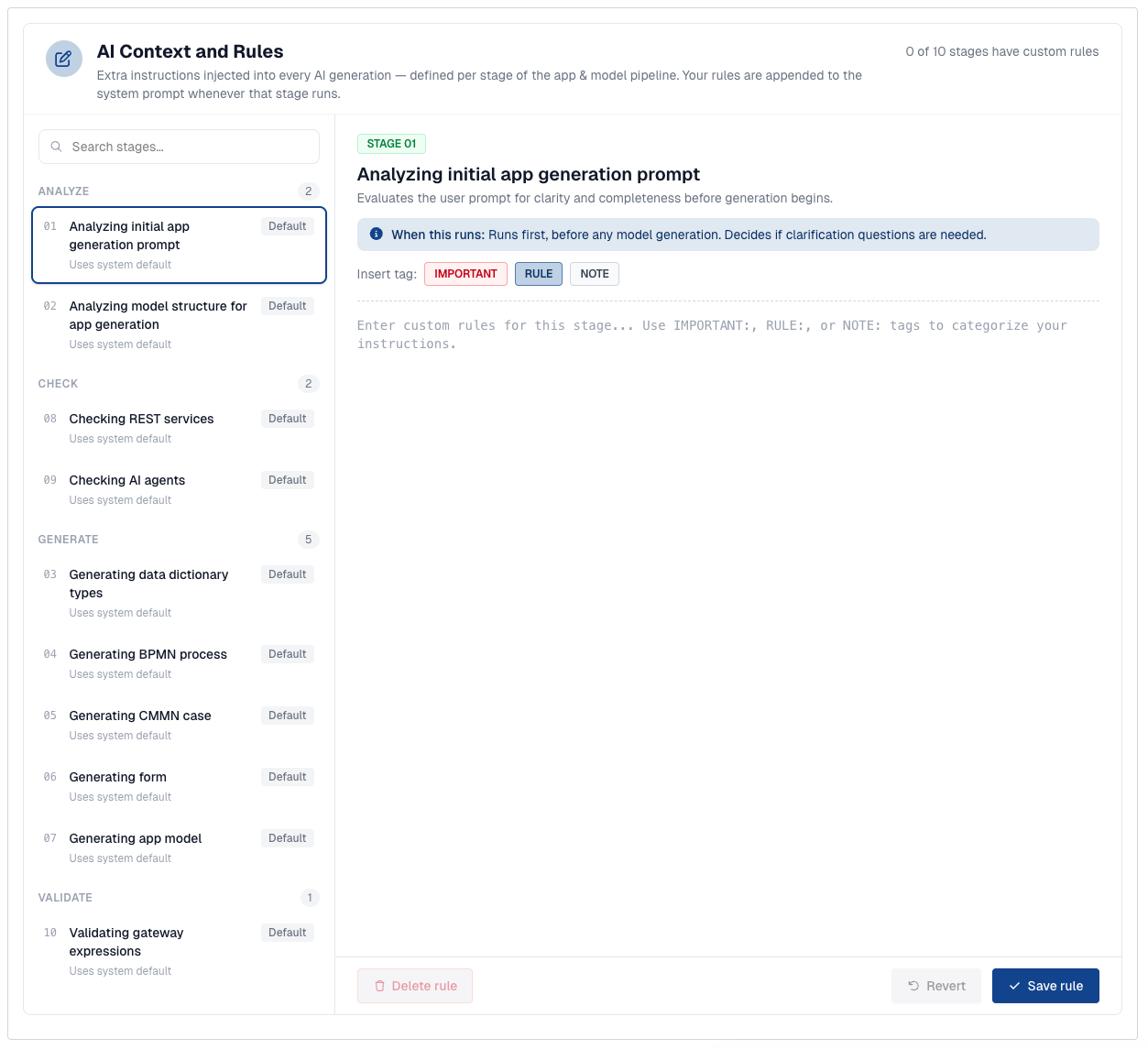
- Configurable AI context rules per app generation stage: your own instructions, appended to the system prompt for that stage.
- Support for using Anthropic’s Claude as the LLM provider for the AI-assisted modeling chat in Design.
- Support for data dictionary types in agent operation input and output.
Why it matters
The fastest way to get value from agents is to lower the cost of building them. AI-assisted modeling shortens the path from idea to working model, so prompts, services and scripts that used to take iterative hand-authoring are drafted in moments and then refined by the modeller. The modeller still stays in control and reviews every result.
How it works
The AI help is woven into the Design editing experience. When authoring an agent operation, the prompt helper drafts and refines the prompt against the operation’s typed inputs and outputs. In the service registry, AI assists in generating REST and script services and in writing the request and response handler scripts for REST services. App generation follows a stepped flow that builds up the app with the modeller’s input at each step.
App generation
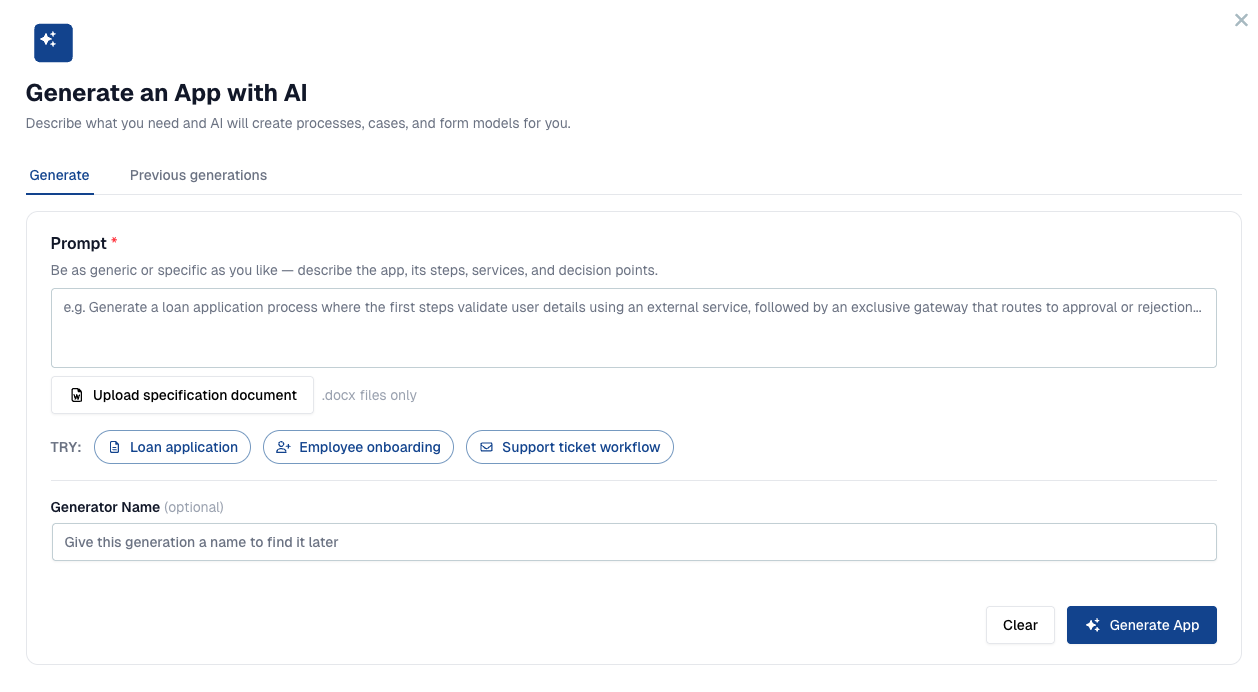
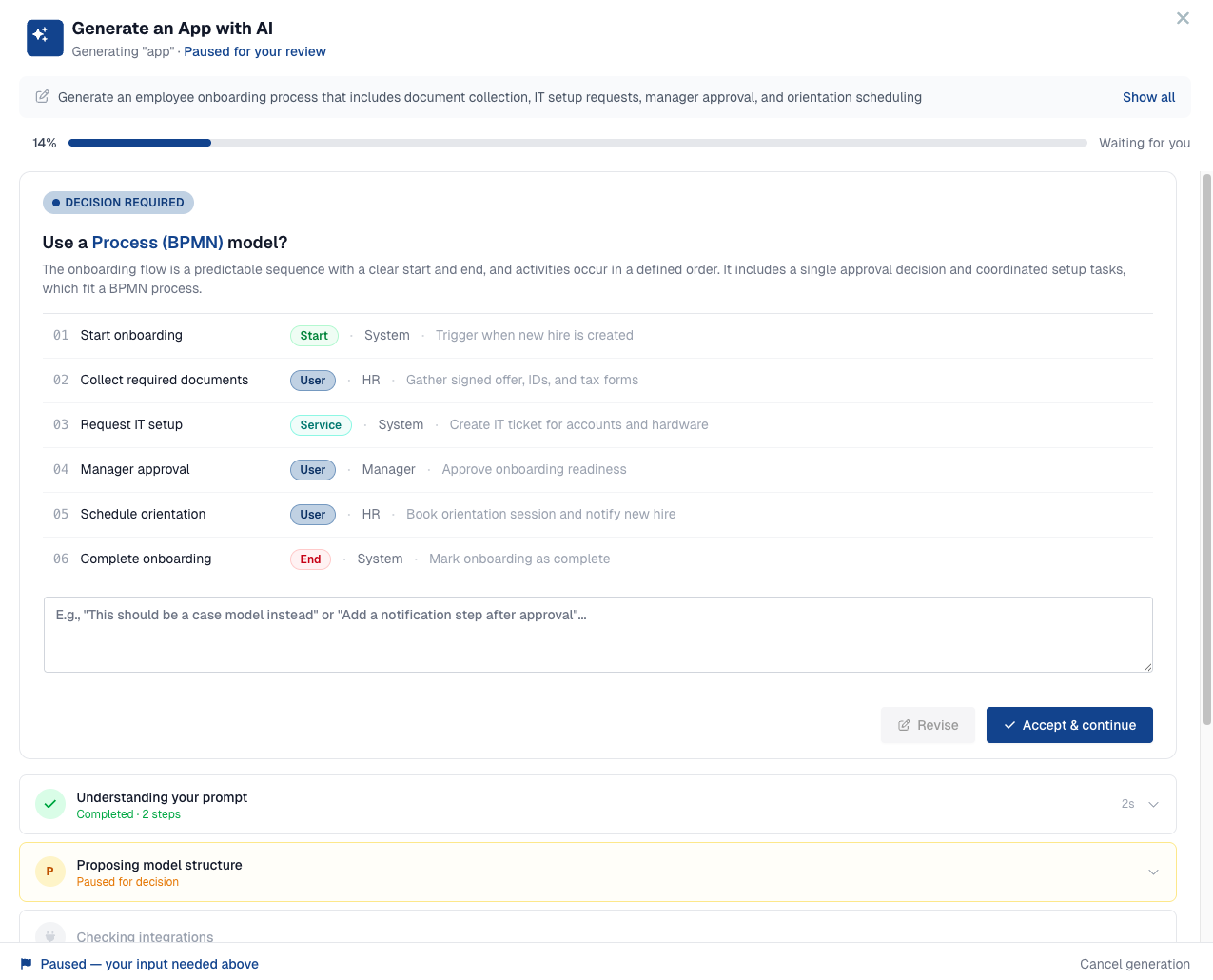
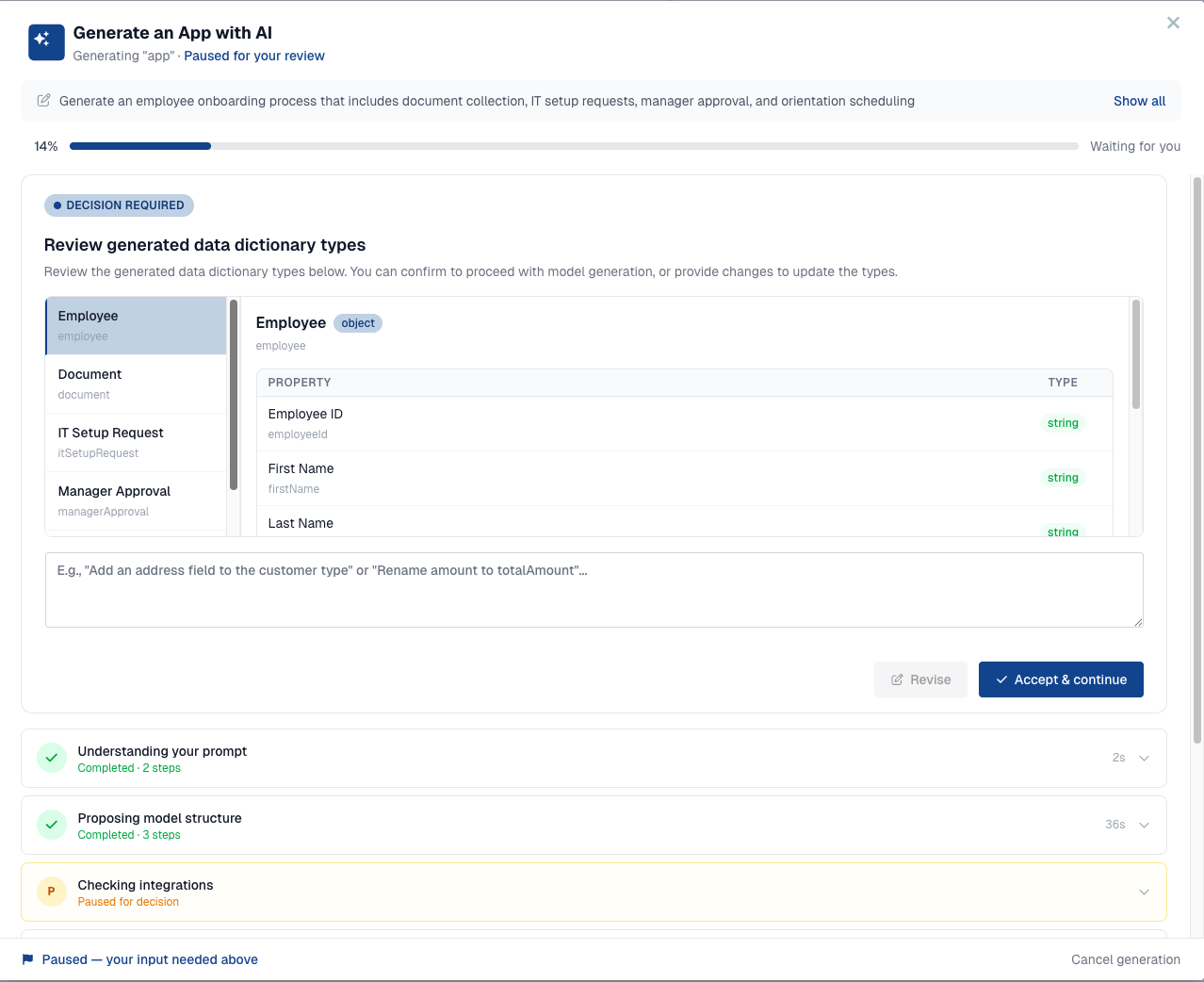
App generation runs as a guided wizard. You describe the app you want in plain language, optionally uploading a specification document or starting from an example, and the AI proposes the models to build. Rather than generating everything in one shot, it pauses at the key decision points so you stay in control: it proposes a model structure for you to accept or revise, then shows the data dictionary types it generated for review, before assembling the processes, cases and forms into an app.
Context rules for app generation
App generation runs as a pipeline of stages: analyzing the request, checking the services and agents involved, generating the data dictionary, processes, cases, forms and the app model, and validating the result. You can add your own instructions to any of these stages. Each rule is appended to the system prompt for that stage, so generation follows your own organisation’s conventions, naming and constraints.