
Native document events
Start and steer processes and cases the moment a document is created, renamed, moved or deleted.
What it is
Documents are now a native event source in your models. Flowable supports document events directly in BPMN and CMMN, so a process or case can react to what happens to content the same way it already reacts to messages and event registry events. A document event fires when a content item is created, renamed, moved or deleted, and it exposes the matched content item to the model that handles it.
In BPMN this covers document start events, intermediate catch events and boundary events. In CMMN it covers document event listeners and case-start triggers. Whichever you reach for, the event carries the content item that triggered it, so the receiving process or case can act on the actual document, not just a notification that something changed.
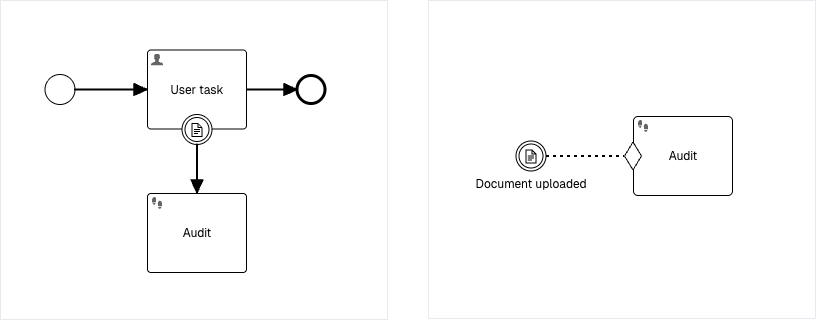
What’s included:
- Document start events, intermediate catch events and boundary events in BPMN.
- Document event listeners and case-start triggers in CMMN.
- Events that fire on creation, rename, move and deletion of a content item.
- The matched content item exposed to the handling process or case.
- The same event-driven modeling already used for messages and signals, now extended to documents.
- Filter events by content model, folder location or file name matching
Why it matters
Making documents a native event brings content into the heart of event-driven modeling, so a case can start because a file appeared, a path can branch because a document was moved, and work can react the instant content changes. It closes the gap between where documents live and where decisions about them are made.
How it works
Document events are modeled as ordinary events in BPMN and CMMN. A start event launches a new process or case when a matching document is created, renamed, moved or deleted. Intermediate catch events and CMMN event listeners pause and resume work on the same triggers, and boundary events attach the reaction to a running activity. In every case the event delivers the matched content item to the model, so subsequent steps and expressions can work with the document directly.
You configure each event with the document lifecycle events it reacts to, where it matches (a content location and folder, or any document on the instance), an optional content model, and an optional filename pattern, so the event fires only for the documents you mean.
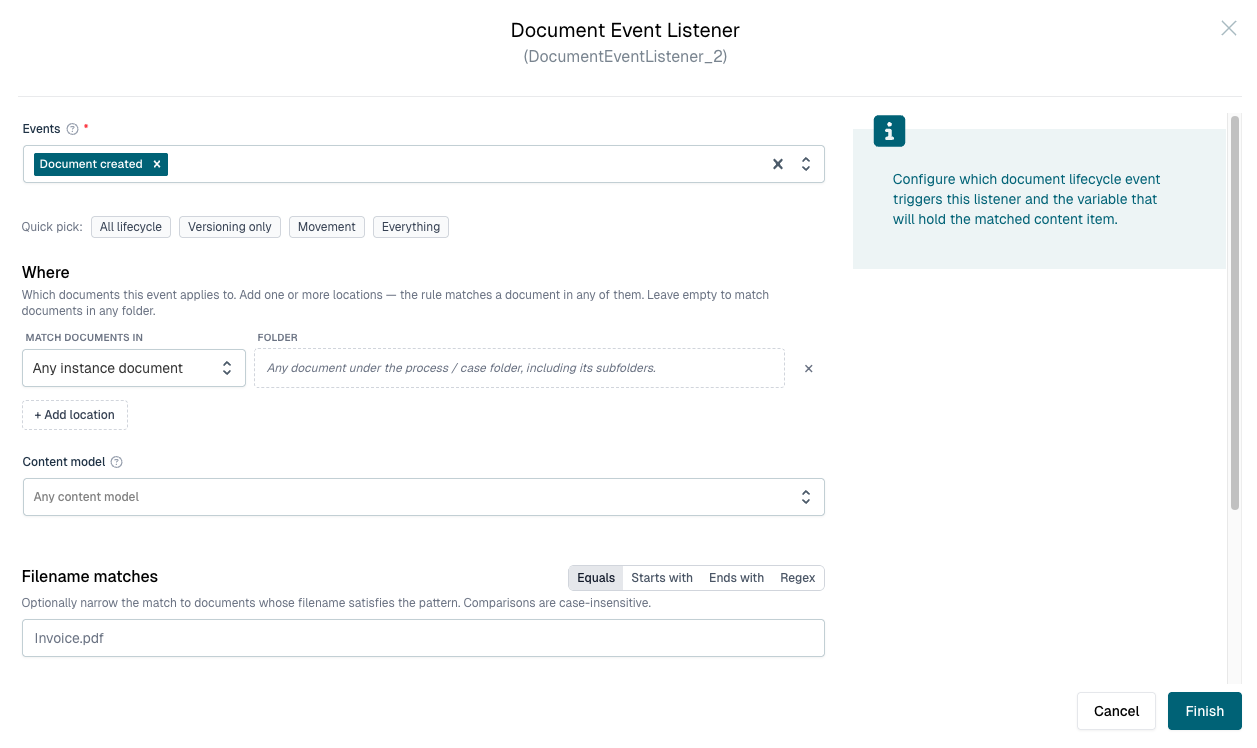
Example
A case is configured to start a subprocess whenever a document is created in a particular content location. As soon as a file lands there, the case triggers the process with the new content item already attached. Later in the case, a boundary document event on a review activity fires if that document is moved or deleted, letting the model interrupt the review and route it for clarification rather than continuing against content that is no longer where it was expected.