Variable and ERD views in the editor
See the variables a model uses and the shape of your data, right in the editor.
What it is
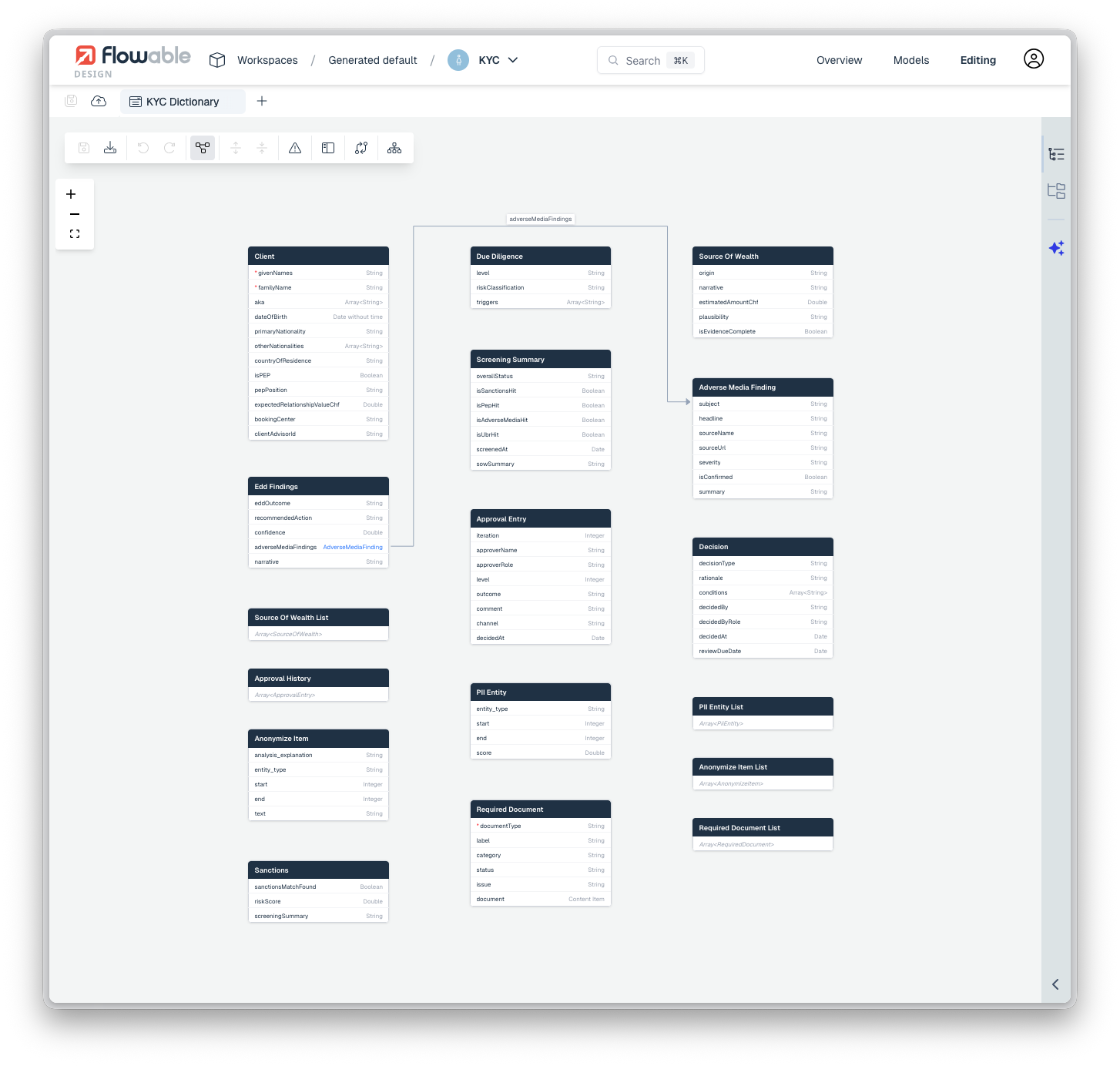
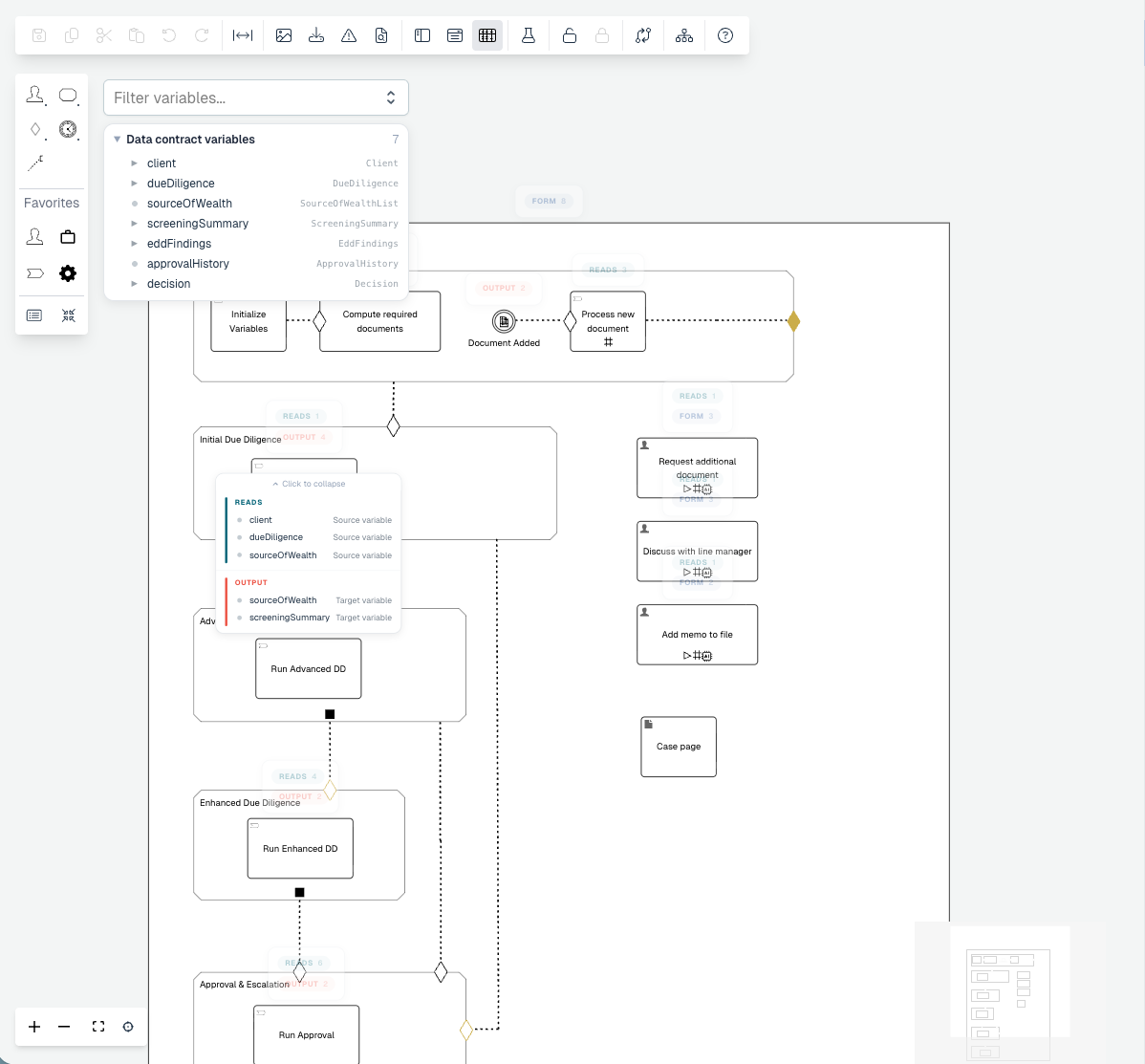
Flowable Design adds two views that make the data behind a model visible while you work on it. A variable view in the BPMN and CMMN editors shows the variables created and used across a process or case, and an ERD diagram view in the data dictionary editor shows the structure of your data and how its entities relate.
Both views live inside the editor you are already in, so understanding what data a model touches no longer means tracing through individual tasks or reading the data dictionary entry by entry.
What’s included:
- A variable view in the BPMN and CMMN editors, listing the variables created and used across a process or case with the possibility to filter for certain variables
- An ERD diagram view in the data dictionary editor.
Why it matters
Models grow, and the data they touch becomes hard to keep in your head. Seeing the variables a process or case relies on, in one place, makes models faster to understand, safer to change, and easier to hand over. The ERD view gives the same clarity for data structure, so the relationships in a data dictionary are read at a glance.
How it works
The variable view reads the model and surfaces the variables that are written and read across it, presented alongside the diagram in the BPMN and CMMN editors. In the data dictionary editor, the ERD diagram view renders the dictionary’s entities and their relationships as an entity-relationship diagram.