
Revision comparison
An overview of the models added, modified and deleted between two revisions, so a release is reviewed on its actual contents.
What it is
Flowable Design now offers a revision-level comparison that shows exactly what is changing between two revisions of an app. The view gives an overview of which models were added, modified and deleted, across cases, processes, forms, decision tables and every other model type. Reviewers see the actual contents of a revision rather than just a version number.
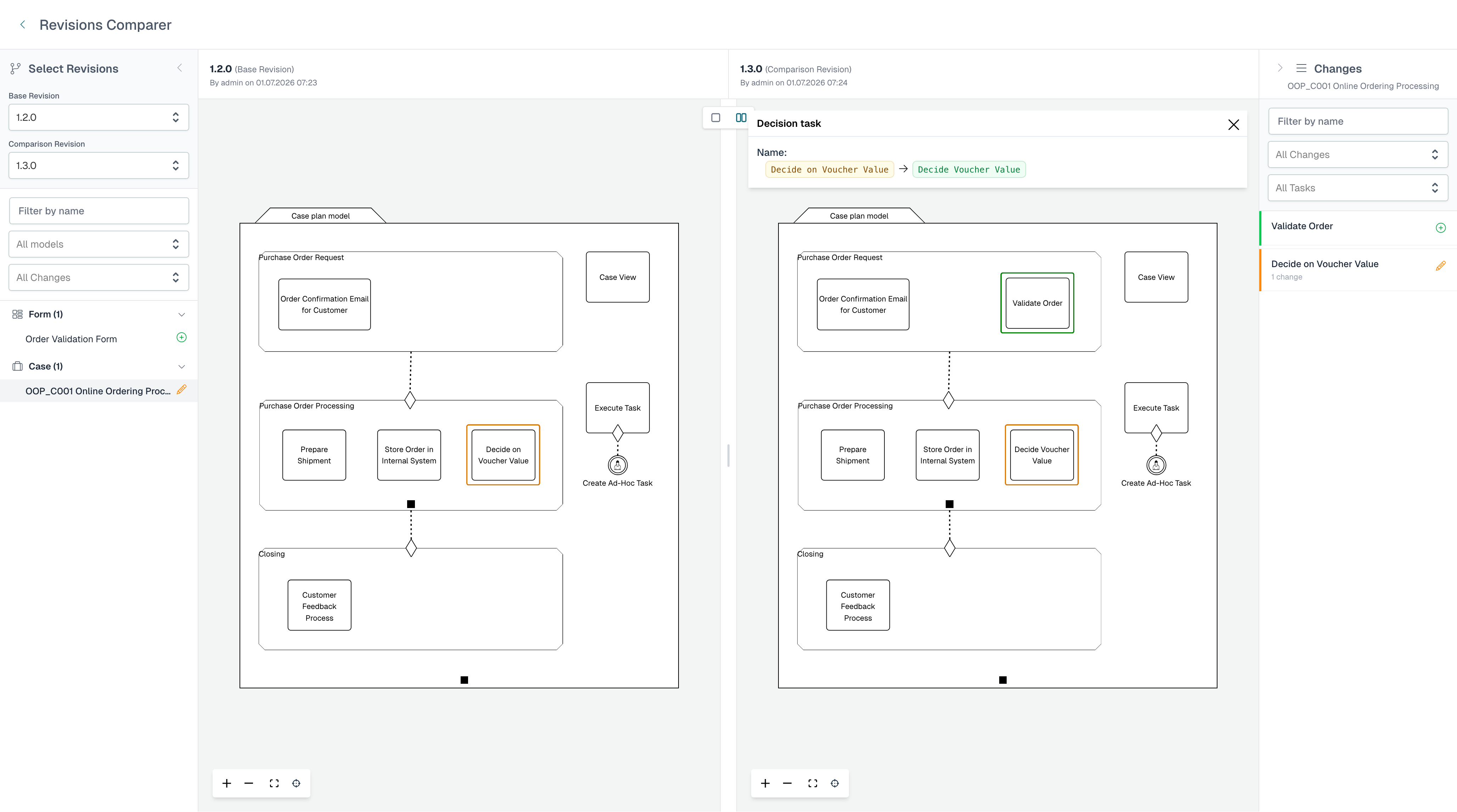
What’s included:
- A revision-level comparison across all model types in an app.
- An overview of added, modified and deleted models.
- Drill-down into model-level differences from the revision view.
Why it matters
Sign-off on a change is only meaningful if the reviewer can see what is actually changing. The revision comparison turns the review of a release into an informed decision instead of an act of trust in a version label. With this view, it’s possible to see which changes are actually going into production.
How it works
You select two revisions of an app and Design produces a revision-level comparison: a single screen listing every model in the app marked as added, modified or deleted. From that overview a reviewer drills into a specific model to see the detailed differences before approving.